Deep Dive: Plot Agent UX
January 20th, 2026

In my last post, I argued that the hardest part of agent design isn't the LLM calls—it's the human-in-the-loop interactions. Let's see what this looks like in practice.
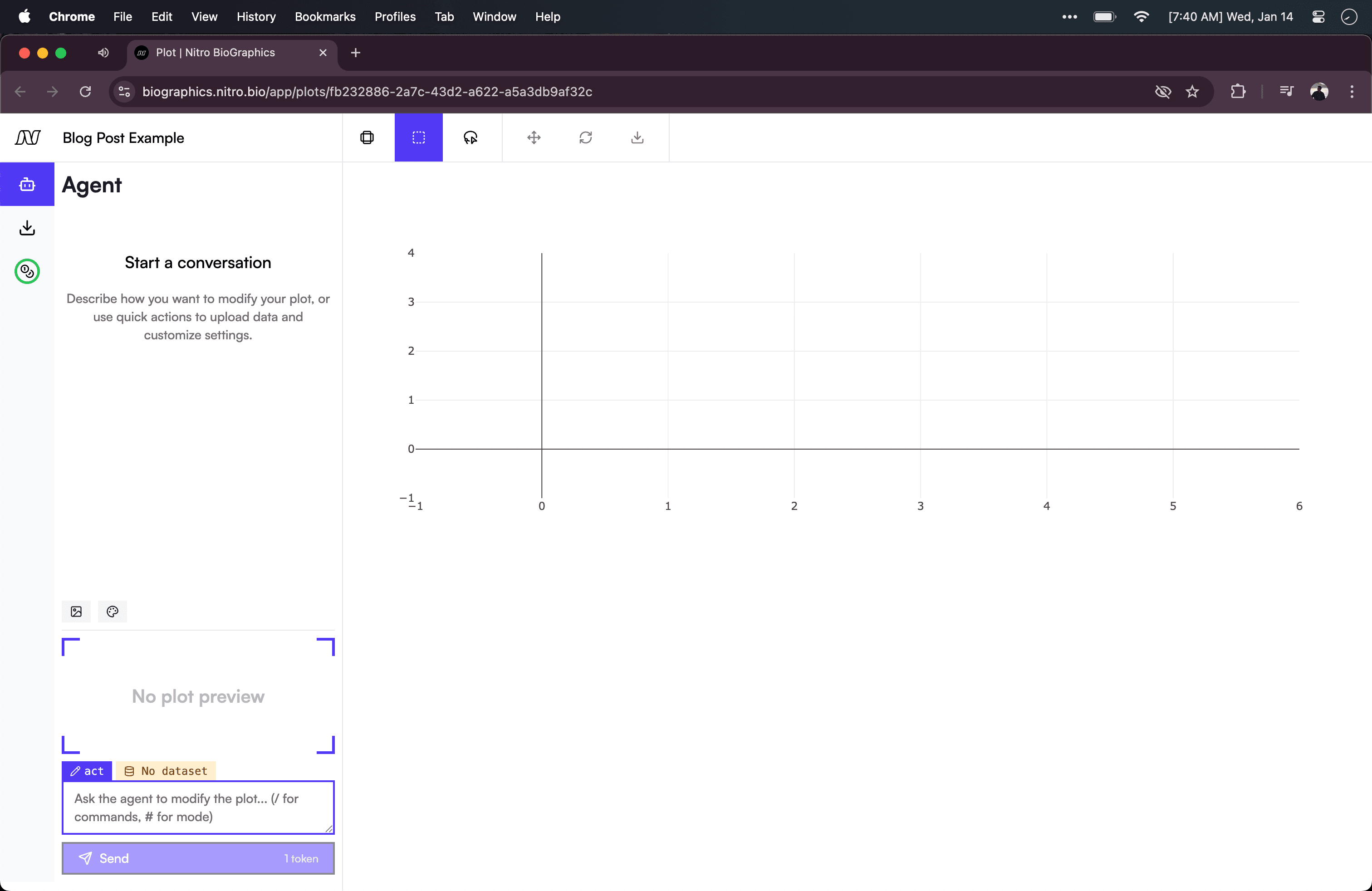
Plot Agent is a tool I built to help scientists create plots by chatting with their data. Try it live in BioGraphics, and email me if you'd like some tokens!
It's a simple agent: upload a CSV, describe the chart you want, and see the agent build you a plot. But even this narrow scope forced me to solve UX problems that I think generalize broadly.
Building Context
A fundamental resource for agents is their Context Window. You can think of this like your own working memory. Just as you perform better when focused on a single task, agents perform better when provided with only the background info required to carry out their task. A plot agent's scope is fairly narrow - it just needs to know how the plot currently looks, a style guide it should be following, and a sense of the data it's expected to model. Let's look at each of these components of its Context Window from a UX lens.
Visual Context
First, we have to show the agent how the plot currently looks. We can do this simply by including a fresh screenshot alongside each user message, ensuring the agent always sees the latest state. But this design decision involves a trade-off.
An image of the plot takes up a relatively large chunk of the context window, roughly the equivalent of 1000 words. So we have to weigh that cost against other considerations. In this application's case, I want to also be considerate of the human user's mental model. My sense is that users will automatically assume the agent can see everything they're seeing. To be rigorous, this should be validated through user testing, but since we're building a v1, we'll have to rely on intuition and product sense. To meet that expectation — and provide a better experience for human users — we're willing to accept some cost on the agent side. That said, we also provide a selection box that lets users craft the context more precisely when they want to.
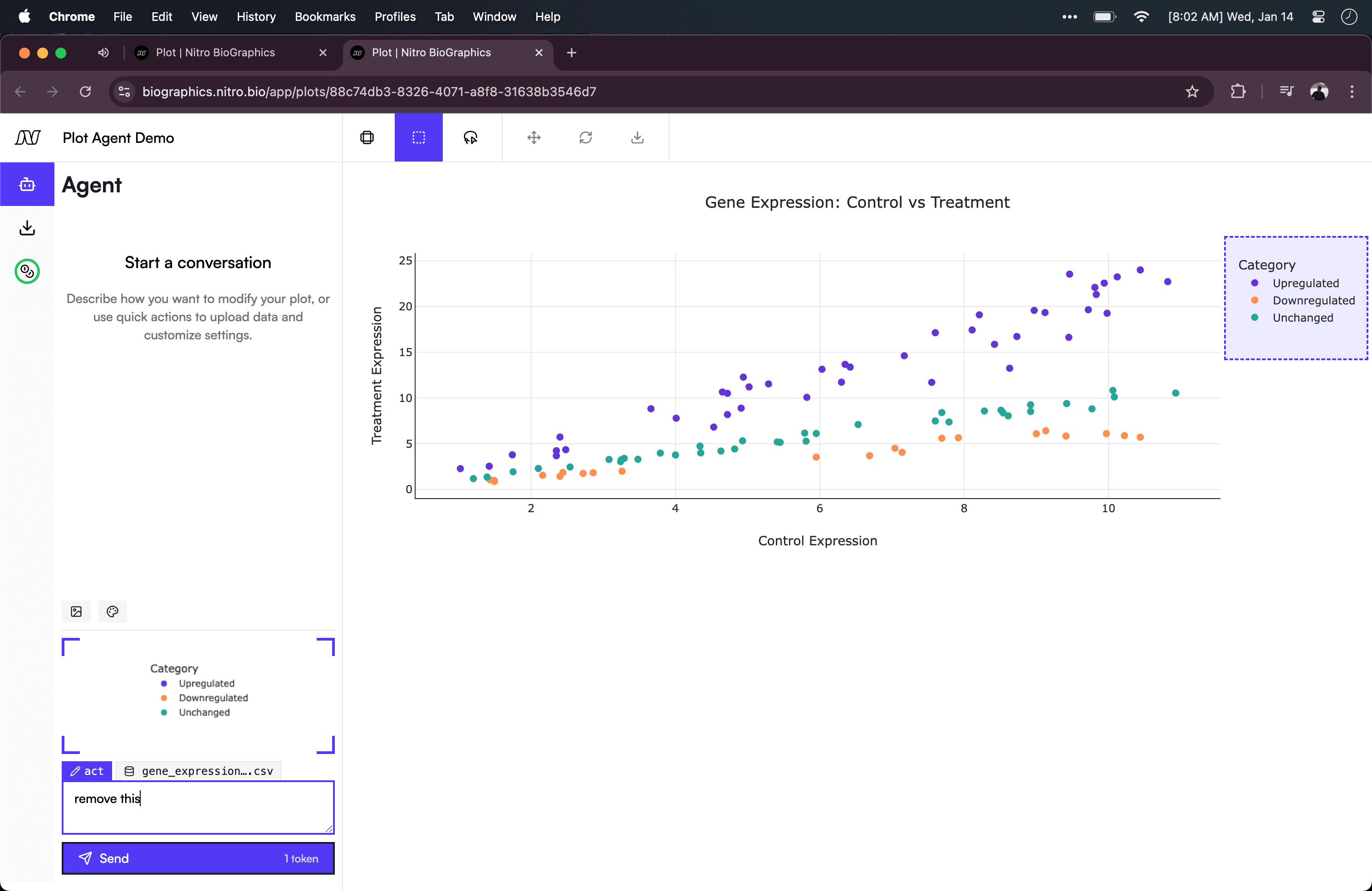
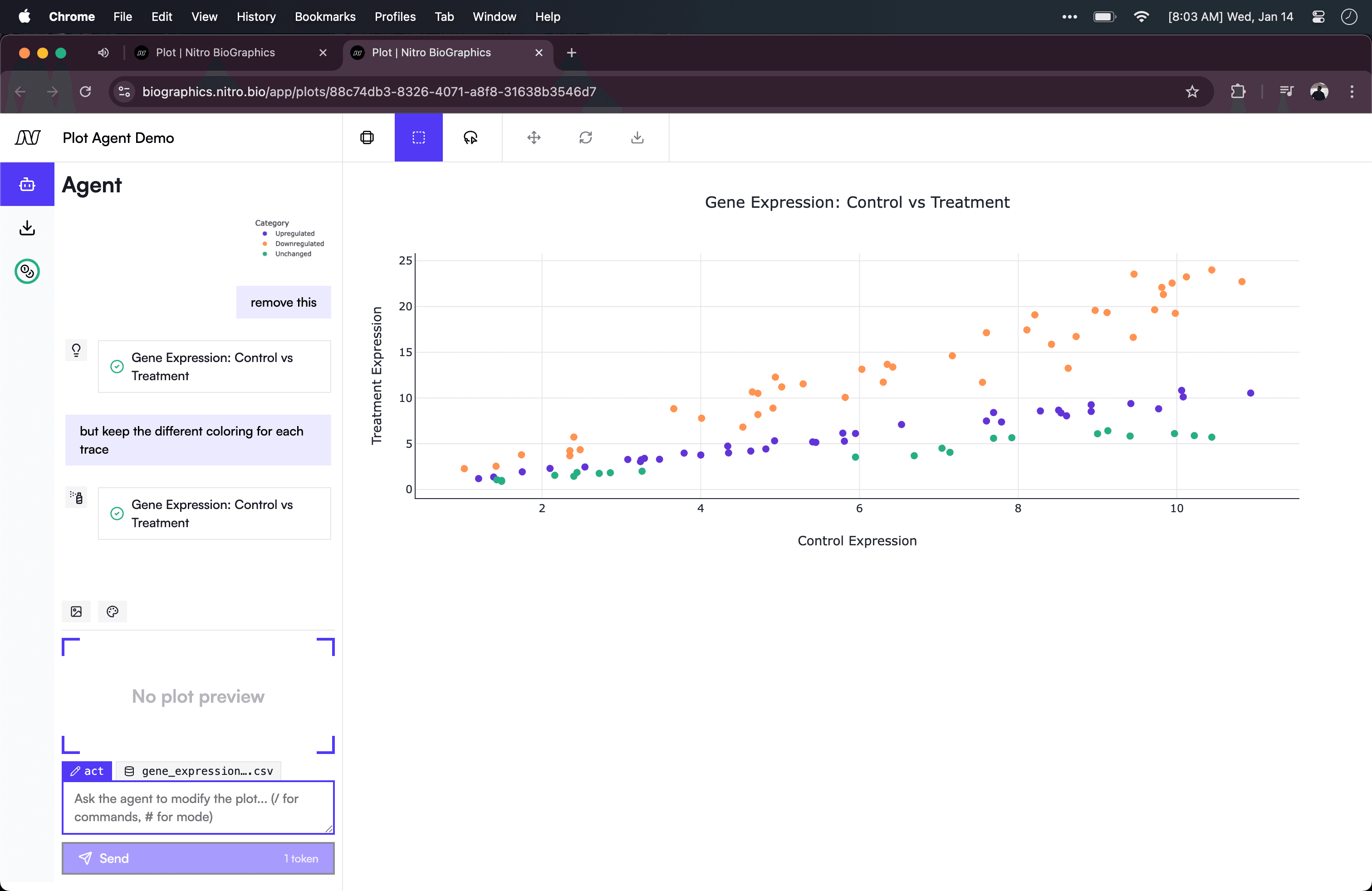
Here the user can drag over and select the legend portion of the plot and ask the agent to "remove this". This UX lets the user be less precise in their text prompt because the agent is able to receive a more precise image prompt.
Style Context
Just as the selection UI reduces the burden of describing changes precisely, we take a similar approach with style guides. Users may need their plot to conform to an organization's style guide, or may simply disagree with the agent's aesthetic choices.
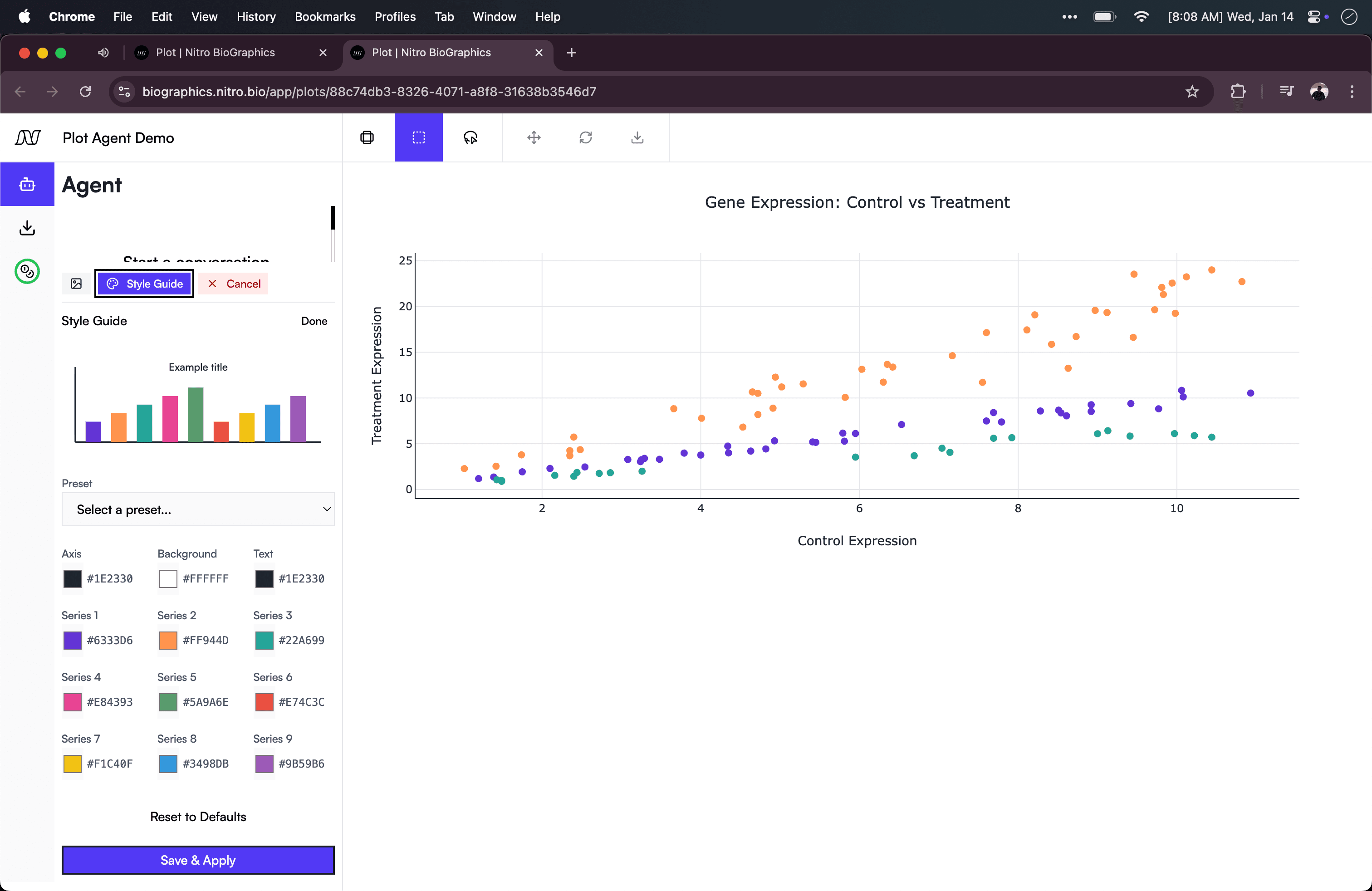
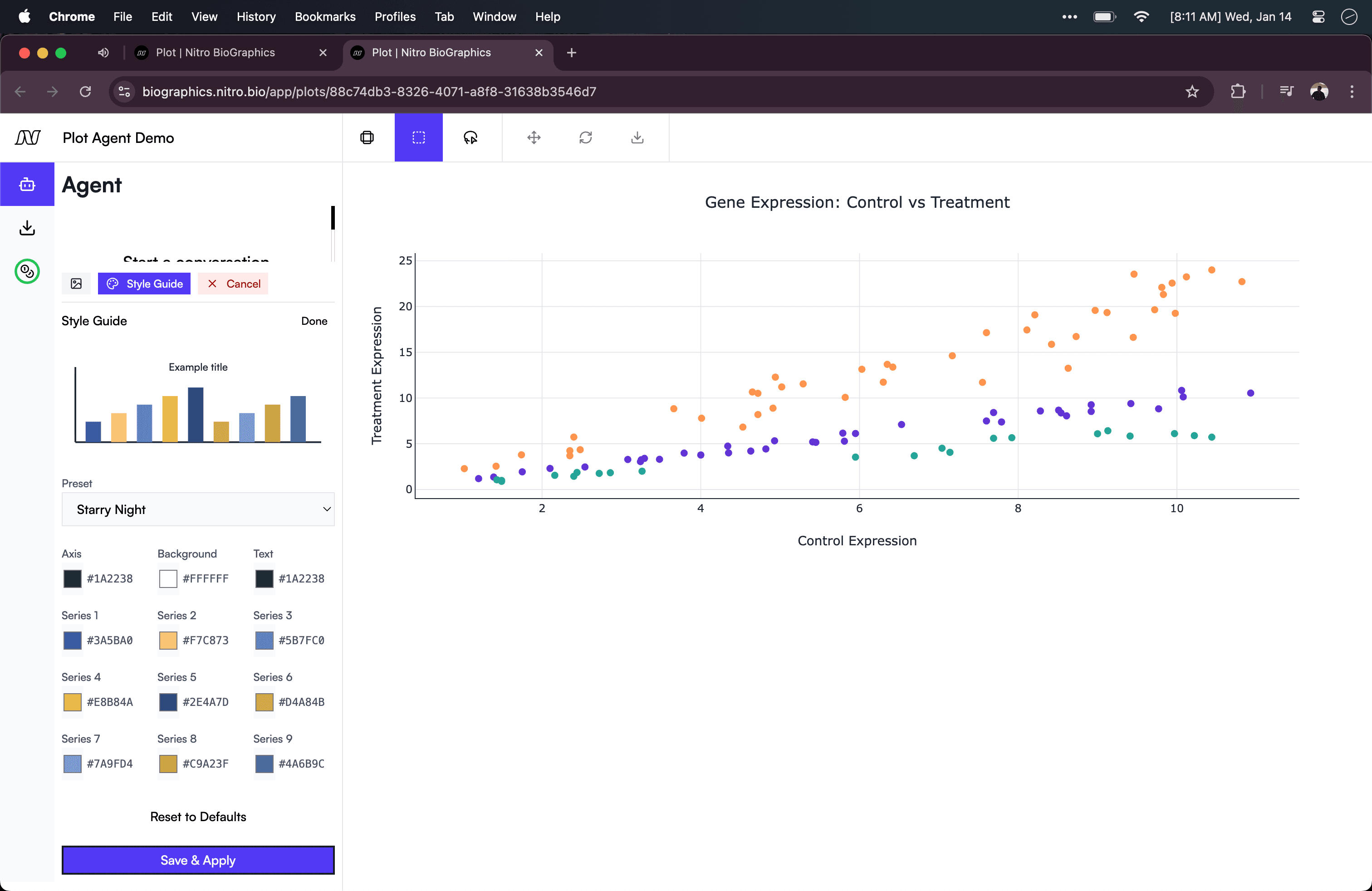
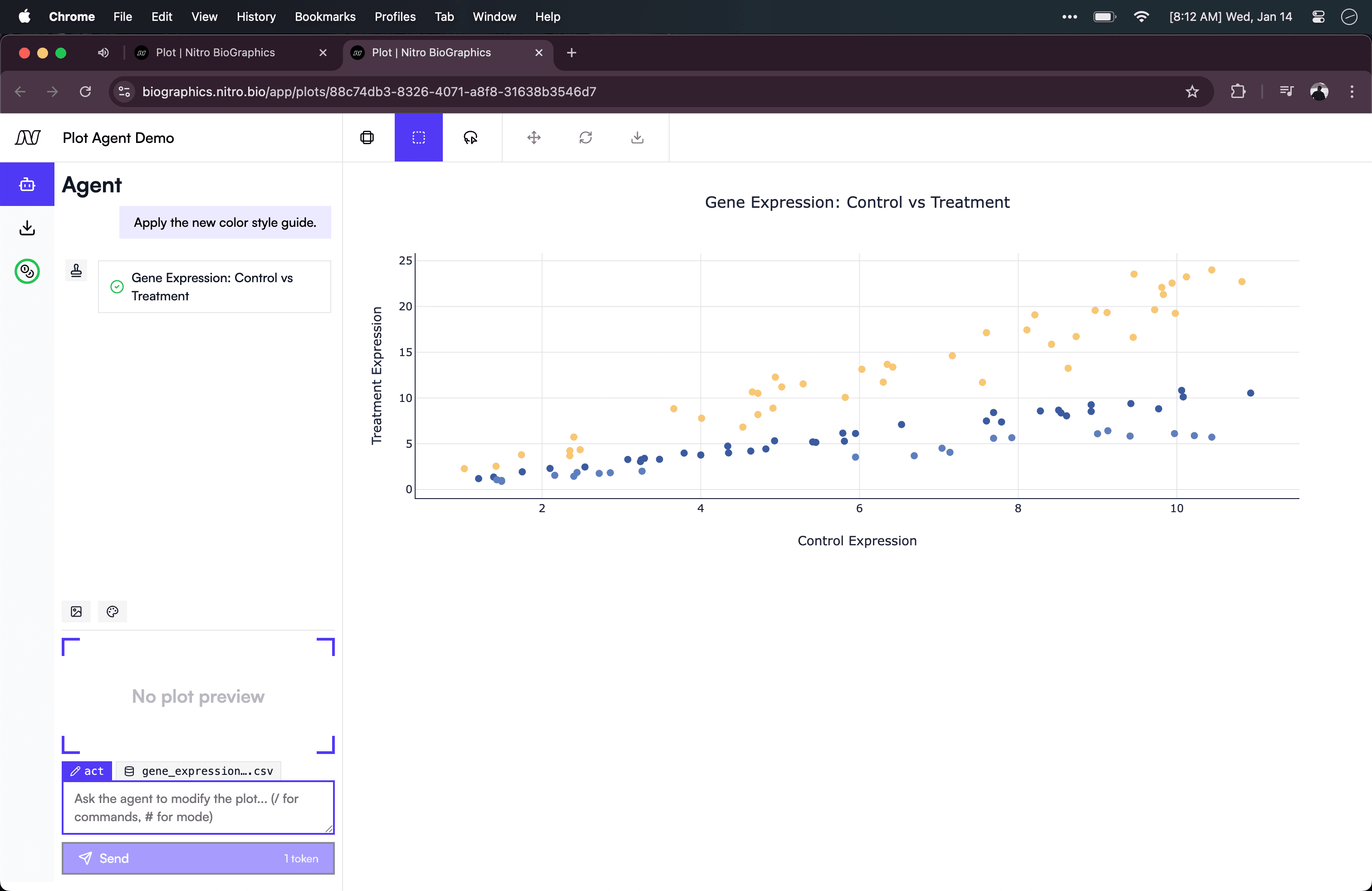
The user can open up an interactive style guide to choose from presets or customize their own. After picking a preset, the agent is prompted to update the plot to follow the new style guide.
The agent then applies the selected style.
Data Context
The final piece of context the agent needs is an understanding of the data itself. A naive approach would be to dump the entire CSV into the prompt — but this quickly exhausts the context window for any meaningfully-sized dataset. Instead, we analyze the file and provide a structured summary.
When a user uploads a CSV, the harness extracts the shape (rows × columns), column names, data types per column, and sample values (the first few non-null entries from each column). This gives the agent enough information to reason about the dataset without needing to see every row. I've glossed over a lot here, my sense is that there is a lot of engineering/research work to be done to eke out the best performance from the leading models.
The UX considerations here impact both the agent (how much Context Window do we want to consume?) and the user (how much do we ask the user to provide context?). For this agent, we want to let the user just upload the file and start prompting.
But context is just prep work. With it established, the next challenge is how the agent communicates its actions back to the user — and that's where tools come in.
Tools as UI Components
When I first think about building a tool call for an agent, I think in function signatures—that is, in a backend/server-side logic way. I imagine the agent invoking query_database() or send_email(), some computation happens, and the result flows back into the conversation. This is a reasonable place to start, but many tool calls are better conceptualized as interface primitives. They are a bundle of data, backend, and most importantly frontend logic. And this package may have to be legible to both an agent-user and a human-user!
Plot Agent has a few key tool calls. Let's start with the most basic: update_chart. The agent uses this tool call to make changes to the plot. It has a bare-bones design in the chat UX, because the plot itself reflects the change the tool call has made. We saw this tool call in action before when we removed the legend.
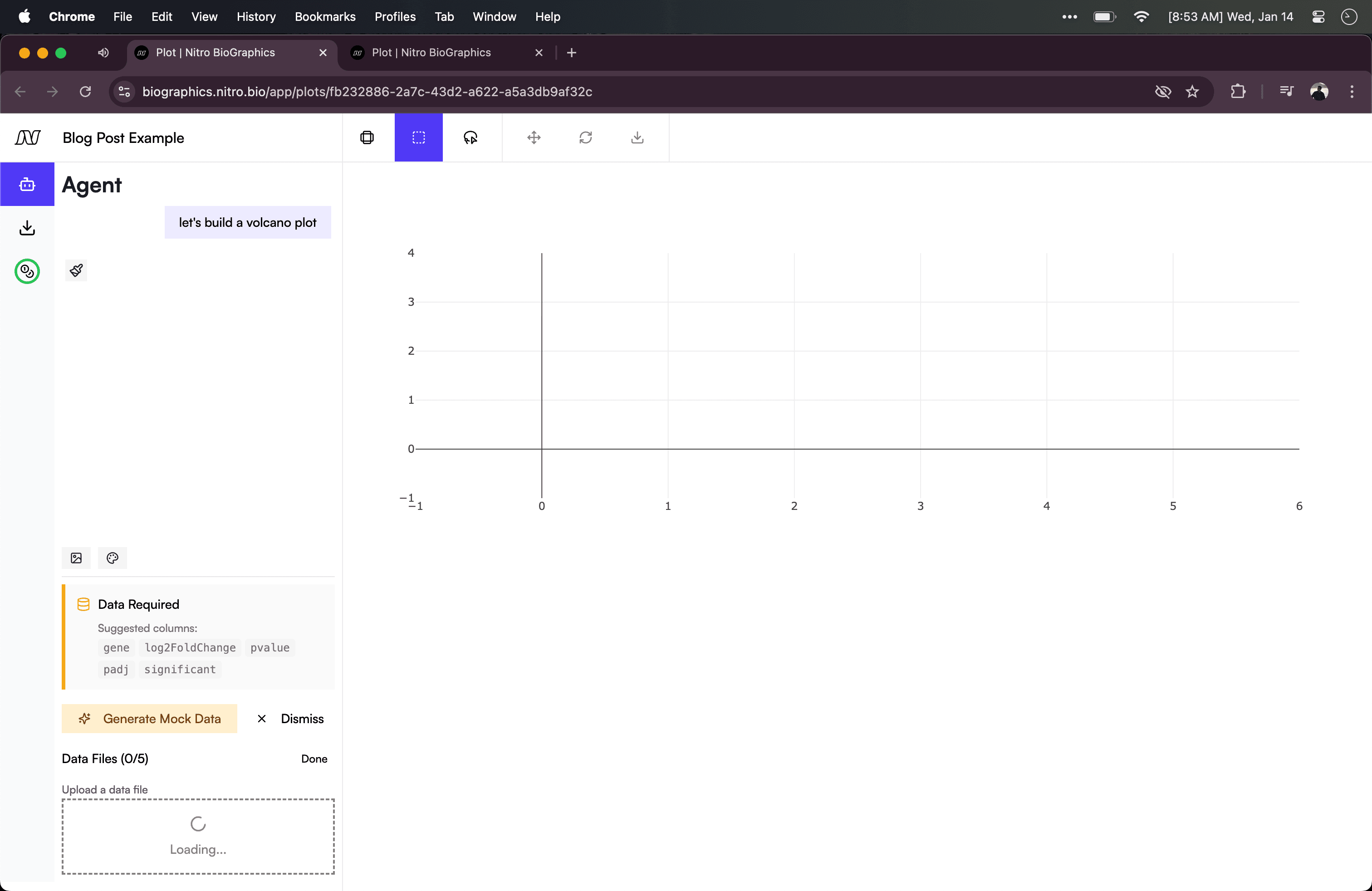
More interesting is the ask_for_data tool call. When the user first uses Plot Agent, the page is completely blank. From here the user can ask to start a plot. The agent notices that the user hasn't uploaded any data and asks them to either upload a file or have it generate mock data.
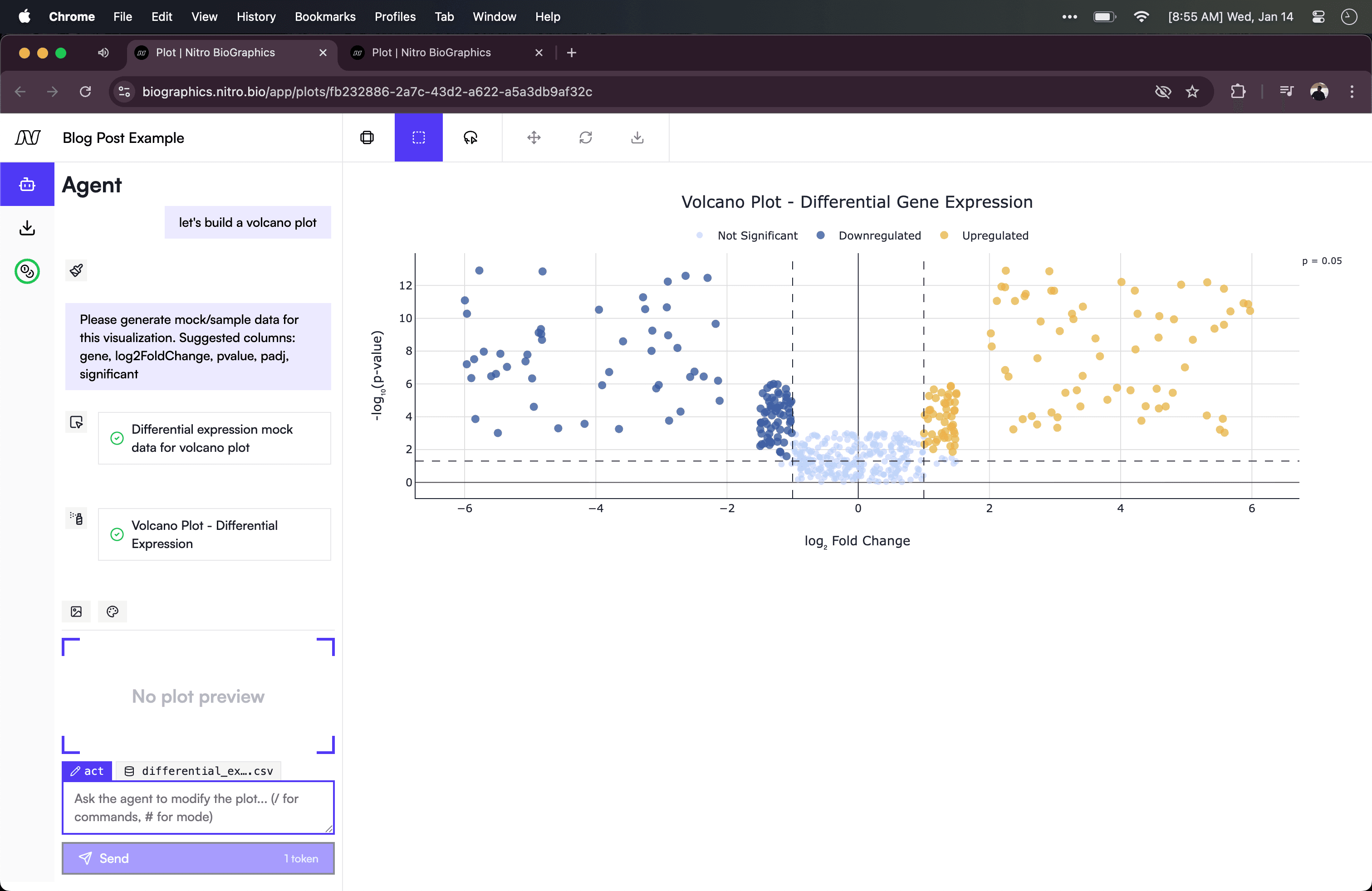
When we ask the agent to generate mock data, it uses the mock_data tool. This tool is interesting because of what it does and doesn't ask the agent to do: the agent never outputs the actual data rows. Instead, it writes a JavaScript generate() function that the frontend executes locally. (This code generation and execution capability is a complex topic that I'll cover in a future post.)
This is a deliberate optimization for the output context window. Imagine the agent needs to create a dataset with 500 rows of gene expression data. A CSV is just text, so naively you could ask the agent to write the csv itself. However, that's thousands of tokens—column headers, values, newlines, all serialized as text. Instead, the agent writes something like:
function generate() {
  const genes = ['BRCA1', 'TP53', 'EGFR', ...];
  return genes.flatMap(gene =>
    timepoints.map(t => ({
      gene,
      timepoint: t,
      expression: Math.random() * 100
    }))
  );
}
A few dozen tokens of code expand into hundreds of rows of data when executed.
Frontend-Only Tool Calls
One more architectural note: in this v1 implementation, all of Plot Agent's tools execute on the frontend. The update_chart tool doesn't call a backend API to generate the chart. It sends JavaScript code to the browser, which executes it against cached data and renders the result locally.
This is a limited version of a more powerful agent system. In a future post, I'll explore what happens when agents can call both frontend and backend tools — when they can both draw on a canvas and query a database to get the data for it.